
LeafYX · Automatic karyotyping
A classifier that learns from your laboratory’s karyotypes.
Automatic karyotyping uses a classifier chosen in the options. For each banding type the laboratory can use its own model, built on the workstation from the karyotypes it has verified.
Illustrative animation: not a screenshot of the program.
01 From list to model
Four steps, all on the workstation.
The laboratory verifies the karyotypes, gathers them in a list and generates the model that automatic karyotyping will work with.
- 01Verified karyotype
From Processing, add it to the right list with one click.
- 02List
Found from the case name and the banding type.
- 03Dataset
Created from the karyotypes in the list.
- 04Model
Generated, with the accuracy measured.
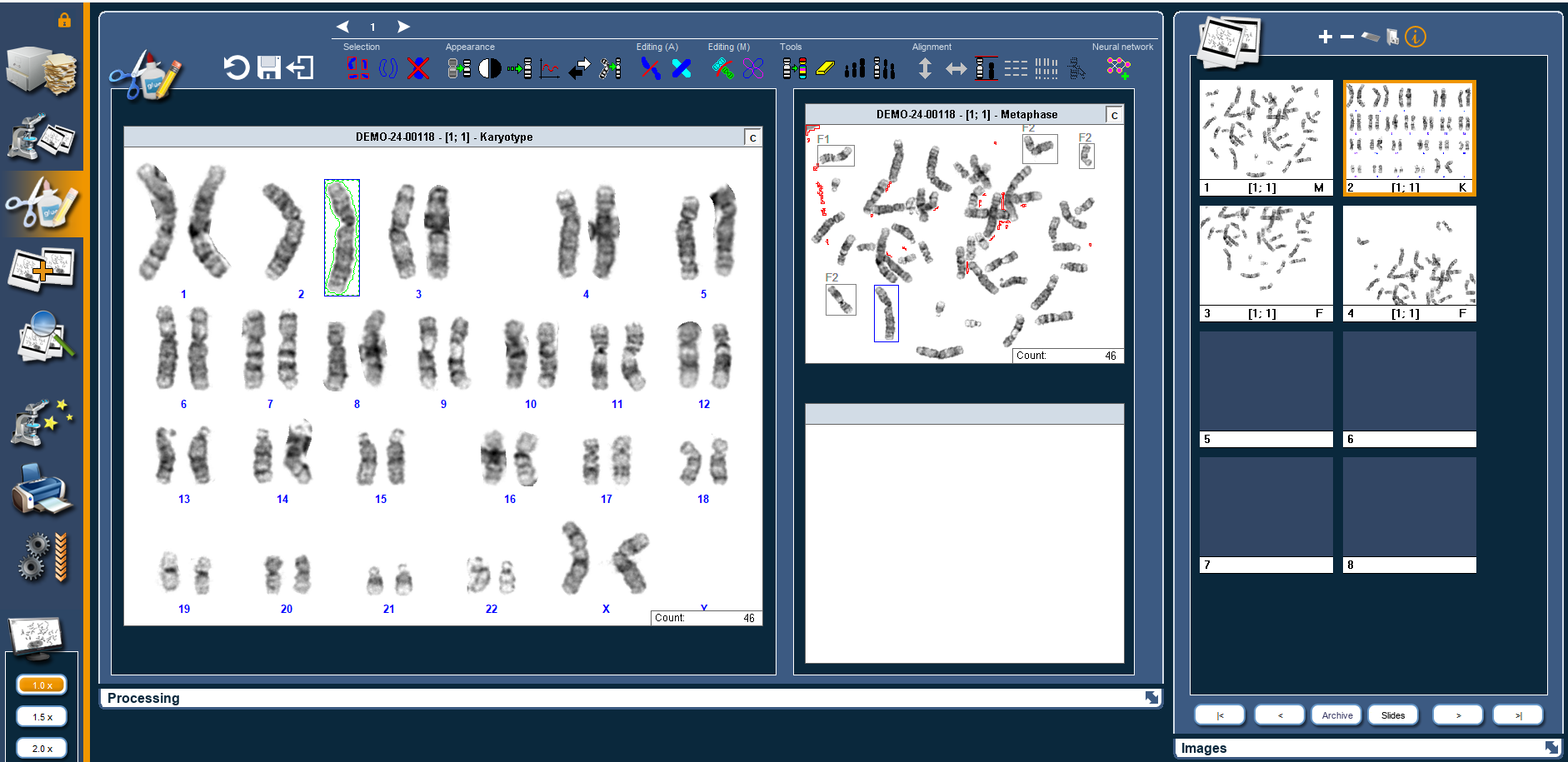
The result can always be corrected: each chromosome can be moved, swapped, rotated and flipped by hand, and reclassified. Training improves the suggestion; verification stays with the operator.
02 Training lists
One click from Processing, into the right list.
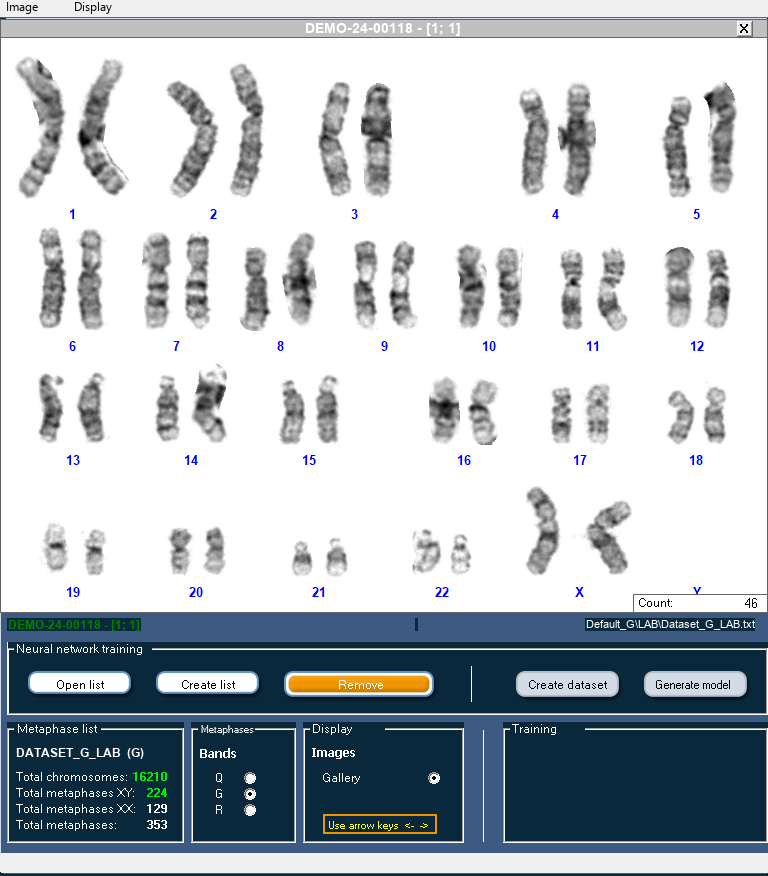
Once a karyotype has been checked, add it to the training list with one click. The program finds the list from the case name and the banding type.
03 Comparison and training
One window to browse, create the dataset and generate the model.
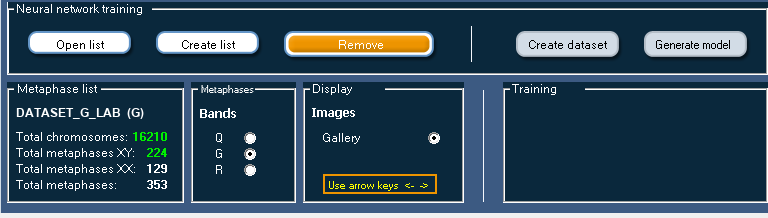
The comparison and training window brings together the lists and the gallery. You check the material, create the dataset and generate the model.
- Banding types3 · Q, G and R, one model each
- Classes24 · human karyotype, including X and Y
- List1 click to add a verified karyotype
- GenerationA few minutes, even with hundreds of karyotypes *
* Indication from internal tests, not a guaranteed performance: the time depends on the computer and on the size of the list.
- Browse the karyotypes in the lists and the gallery, to check what goes into the training.
- Create the dataset from the karyotypes in the list.
- Generate the model and show the measured accuracy.
- During generation, a progress bar with elapsed time and estimated time.
- The time estimate refines itself with each generation.
- Selection
- In the program options
- Banding types
- Q, G and R, one model each
- Classes
- 24 for the human karyotype, including X and Y
- Outcome
- Accuracy measured on the generated model
Model generated, accuracy measured.
Illustrative animation: not a screenshot of the program.
04 Automatic model selection
The right model for each case, without changing settings.
The program chooses the model from the case identifier. Identifiers accept wildcards.
- Several laboratories or protocols on the same workstation.
- Each laboratory or protocol uses its own models.
- The model follows the banding type of the case: Q, G or R.
- Laboratory A
- Q, G and R models of laboratory A
- Laboratory B
- Q, G and R models of laboratory B
- Other protocol
- Models of that protocol
Illustrative animation: not a screenshot of the program.
Identifiers are defined with wildcards. The model chosen also depends on the banding type.
05 Data on the workstation and traceability
The images stay where they are. Every step is logged.
Dataset and model are built locally: the images stay on the workstation.
- The creation of lists and datasets is written to the audit log.
- Model generation is recorded, successful or failed; if successful, with the number of chromosomes and the accuracy.
- Each line gives date, time, user, case and action.
- The log is always written on the workstation.
06 Frequently asked questions
Questions about the classifier.
01Where do the images used for training stay?
On the workstation. The dataset and the model are built locally: the images stay on the laboratory’s computer.
02Can the automatic karyotype be corrected?
Yes. Automatic karyotyping is a suggestion: each chromosome can be moved, swapped, rotated and flipped by hand, and reclassified. The result is always checked by the operator.
03How long does it take to generate a model?
In internal tests a few minutes are enough, even with hundreds of karyotypes. This is an indication, not a guaranteed performance: the time depends on the computer and on the size of the list. During generation a bar shows the elapsed time and the estimated time, which refines itself with each generation.
04What accuracy can be achieved?
The program shows the measured accuracy for each model generated. It depends on the individual laboratory’s preparations and, in internal tests, grows with the number of karyotypes in the list: for this reason we do not quote percentages.
05Can different models be used for different protocols or laboratories?
Yes. The model is chosen automatically from the case identifier, also with wildcards. Several laboratories or protocols can work on the same workstation, each with its own models.
06Is a particular module needed?
The classifier is part of LeafYX automatic karyotyping. The licence modules, on a hardware key, are defined together with the laboratory: write to us from the Contact page.
07 Continue
Learn more.
For Research Use Only.
LeafYX is software for cytogenetics research. For Research Use Only (RUO): not a medical device and not for use in diagnostic procedures.
Automatic karyotyping produces a suggestion: the classification and layout of the chromosomes remain under the operator’s verification.
Demo
Evaluate the classifier on your own preparations.
Contact us for a LeafYX demonstration. We will show you the path from list to model and define together the modules best suited to your laboratory.